Swarmz vs Bolt (2026): which AI app builder to pick
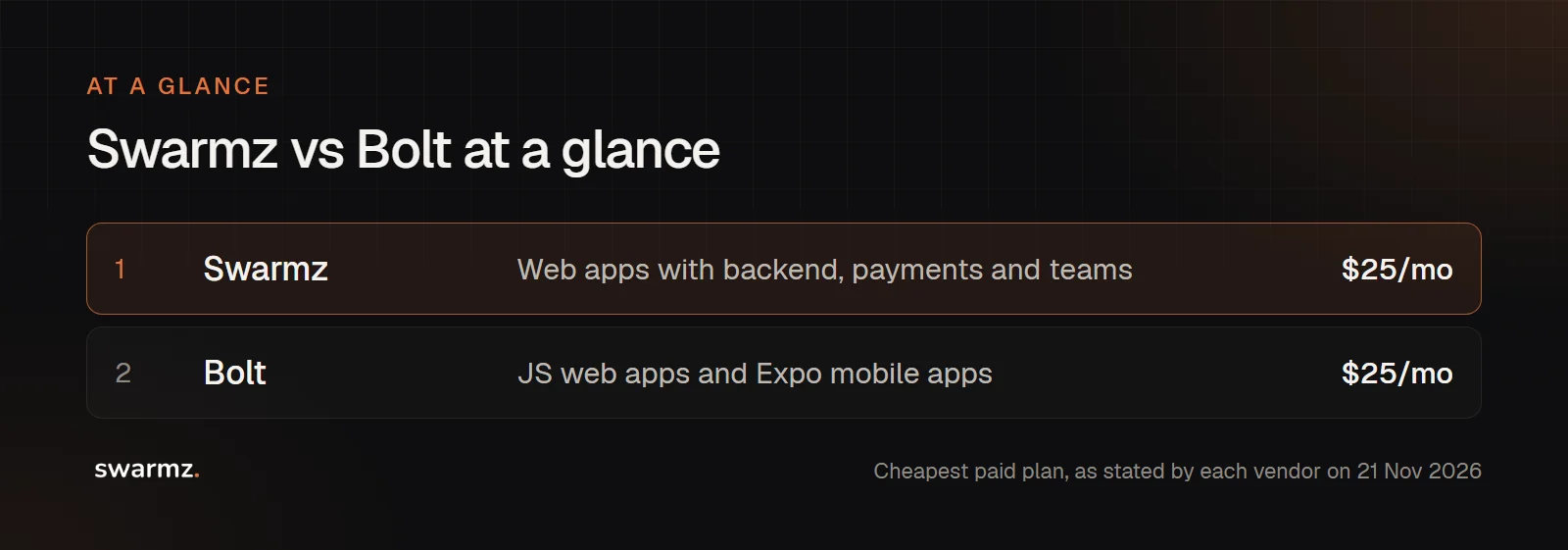
Swarmz and Bolt side by side: both Pro plans cost $25 a month, but they differ on mobile, team pricing, payments, sign-in and code export. Every fact checked on 21 November 2026.
For most people building a web app with a backend, payments and a team, Swarmz is the better pick over Bolt: both Pro plans cost $25 a month, but Swarmz shares one credit balance across your team with no per-seat fees, includes SAML single sign-on on its $50 Business plan where Bolt keeps SSO for Enterprise, and lists more sign-in methods and payment types for the apps you build. Bolt is the better pick if you need a mobile app through Expo, want to download your project as a ZIP, or want to work in any JavaScript front-end framework.
Swarmz is our product, so read this with that in mind. We compared only what each company states on its own pricing page and documentation, all checked on 21 November 2026, and we did not run benchmarks. The sources are listed at the end.
Swarmz vs Bolt at a glance
Swarmz | Bolt | |
|---|---|---|
Best for | Web apps with a backend, payments and a team | JavaScript web apps and Expo mobile apps |
What it builds | Web apps in React, TypeScript and Tailwind | Websites, web apps and Expo mobile apps |
Free plan | 5 credits a day, no card | 1M tokens a month, 300K a day |
Pro | $25/month: 100 credits plus 5 a day | $25/month: from 10M tokens, no daily cap |
Team plan | Business $50/month, no per-seat fees | Teams $30 per member/month |
Usage unit | Credits, with each prompt's cost shown | Tokens |
Unused usage | Kept for 30 days | Rolls over for up to two months on paid plans |
Backend | Database, sign-in, file storage, server functions | Bolt Cloud database, sign-in, storage, server functions; or Supabase |
App sign-in | Email, phone, Google, Apple, GitHub, Microsoft, Discord, X, SAML SSO | Email and Google named in the docs |
Payments | Swarmz Payments on Stripe: checkout, subscriptions, invoices, payment links | Stripe integration: one-time payments and subscriptions |
Code | Two-way GitHub sync on every plan; no ZIP | Two-way GitHub sync with branches; ZIP download |
Native mobile | No, web apps | Yes, with Expo |
Team single sign-on | SAML SSO on Business | Enterprise only |
Data location | Account in the EU (Ireland); 16 regions for app data | Not stated; SOC 2 Type 2 certified |
How we compared
We looked at the eight things that decide which builder fits a real project: how you build, the backend, payments, code ownership, mobile, pricing, teams and data location. Where one company states something and the other's pages are silent, we say so instead of guessing. If Bolt is not working for you and you want a wider field, our list of Bolt alternatives covers more options.
Building an app
Both tools start the same way: you describe the app in plain words, the AI builds it, and you refine it in chat.
Swarmz builds web apps in standard React, TypeScript and Tailwind and publishes them to a swarmz.cloud link with SSL in one click. It has 28 live templates you can remix, and you can open any reply to see how many credits that prompt used.
Bolt runs in the browser and builds websites, web apps and mobile apps. On the front end it supports any JavaScript framework that runs in the browser. On the back end it is JavaScript only: Bolt's help center says languages such as PHP or Python are not compatible. Bolt also works in a phone's browser for previewing and publishing, but code view, visual edits and the database are desktop-only.
If you are a JavaScript developer who wants to pick your own front-end framework, Bolt gives you more room. If you want a fixed, standard stack and a template to start from, Swarmz is simpler.
Backend and sign-in
Both tools include a managed backend, so you do not need a separate database account to get started.
Swarmz Cloud gives every app a database, user sign-in, file storage and server functions on every plan, including Free.
Bolt Cloud creates a database when a project needs it, with no limit on the number of databases, plus sign-in, public and private file storage, server functions and, on paid plans, site analytics. You can also connect your own Supabase project instead. When Bolt announced Bolt Cloud in August 2025, sign-in, storage, functions and payments were listed as a private beta; Bolt's current help center describes them without a beta label.
The clearest difference is sign-in for your app's users. Swarmz lists email, phone, Google, Apple, GitHub, Microsoft, Discord, X and SAML SSO. Bolt's Cloud page names email sign-in, with confirmation and password reset, and Google sign-in.
Payments
Swarmz Payments runs on Stripe and covers checkout, subscriptions, invoices and payment links.
Bolt connects Stripe through an integration. You add your Stripe secret key, choose which products to import, and Bolt creates the server functions for checkout, webhooks and subscriptions. It registers the webhooks and verifies their signatures for you, and you start in Stripe's test mode. User sign-in has to be set up first. The integration covers one-time payments and subscriptions; Bolt's guide does not mention invoices or payment links. Note that Bolt's Stripe guide says it requires Supabase as the database provider, while its Bolt Cloud page presents Stripe as part of Bolt Cloud, so check the current steps before you plan around it.
Code ownership and export
Both let you keep your code in GitHub, and Bolt gives you one extra exit.
Swarmz syncs your React and TypeScript code both ways with your own GitHub repository on every plan, including Free. There is no ZIP download today, so GitHub is the only export route.
Bolt's GitHub integration commits every change that does not break the project, checks GitHub every 30 seconds for changes made elsewhere and pulls them in, and supports branches; merging happens through pull requests in GitHub. On desktop you can also download the whole project as a ZIP and run it locally with Node.js. Bolt's help pages do not state a plan requirement for either.
If being able to leave matters to you, our guide on how to export an app from an AI app builder covers what usually comes with you and what does not.
Mobile apps
This is Bolt's clearest advantage. Swarmz builds responsive web apps that work on phones, but it does not build native iOS or Android apps.
Bolt builds mobile apps with Expo when you include the words "mobile app" in your first prompt; a web project does not switch to mobile easily later. You preview on your phone by scanning a QR code with Expo Go. To publish to the App Store or Google Play, Bolt's guide has you download the code and run Expo's build tools yourself, with an Expo account plus paid Apple and Google developer accounts.
If a native app is a must, read our guide on whether AI can build a mobile app before you choose.
Pricing: credits vs tokens
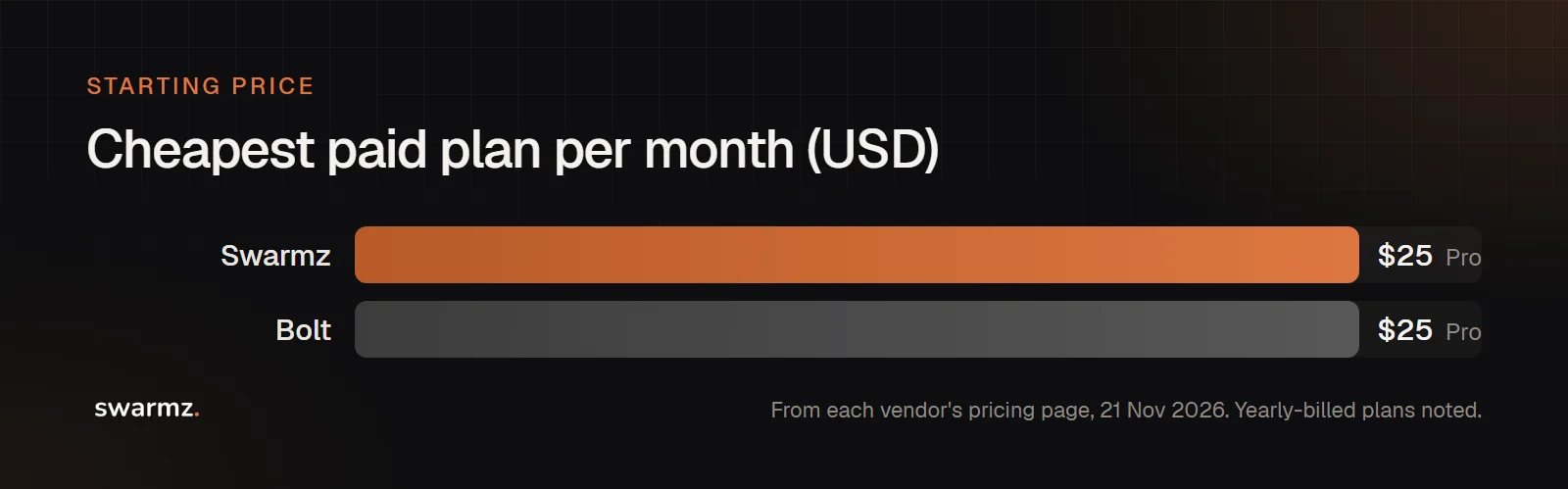
The headline prices match: Pro is $25 a month on both. What you get for it is measured differently.
Swarmz meters work in credits. The free plan gives you 5 credits a day with no card and unlimited projects. Pro adds 100 credits a month plus 5 a day, with tiers up to 15,000 credits, top-ups, a custom domain and no badge. Unused Pro credits are kept for 30 days, up to a month's allowance. New accounts can also try Pro free for 3 days with 25 credits; the trial needs a card and becomes the $25 Pro plan unless you cancel.
Bolt meters work in tokens, the units of text the AI reads and writes. The free plan gives you 1M tokens a month with a 300K daily limit, hosting, Bolt branding on sites and up to 3 collaborators. Pro starts at 10M tokens a month with no daily limit, adds a custom domain, removes the branding and allows unlimited collaborators. Unused tokens on paid plans roll over for up to two months; free tokens do not. Bolt advertises yearly billing that saves up to 28%, but its pricing page does not show the yearly prices.
Two things to keep in mind. First, credits and tokens are not comparable units, so 100 credits and 10M tokens cannot be lined up directly; build the same small app on both free plans and compare. Second, Bolt's docs say a site that goes over its plan's hosting allowance stops showing publicly until the next billing cycle, so check the allowance if you expect traffic.
Teams
The pricing models differ most here.
Swarmz has no per-seat fees. Admin, Editor and Viewer roles are available on the free plan, and the whole workspace shares one credit balance. Business at $50 a month adds private apps, SAML single sign-on, user groups, custom design systems and a branded workspace URL.
Bolt Pro already allows unlimited collaborators on projects. Bolt Teams costs $30 per member a month and adds centralized billing, team access management, admin controls with user provisioning and a private NPM registry. Tokens are per member and are not shared, and free members can view team projects but cannot send prompts. SSO and audit logs are on Enterprise, which is priced on request.
As an example, four people on Bolt Teams pay $120 a month, each with their own tokens. On Swarmz Business the price does not change with headcount, but all four draw from one credit balance, so a busy team will need a bigger credit tier or top-ups.
Data location and compliance
Swarmz states that your account and its main database are in the EU (Ireland), projects are built on servers in Germany, published apps are served from Cloudflare's network, and some services, including AI processing, run in the US. When you turn on Swarmz Cloud for an app, you choose where its data lives from 16 regions across the US, Europe and Asia-Pacific.
Bolt's security page says it is SOC 2 Type 2 certified and compliant with GDPR and CCPA, and it offers a deployment that runs Bolt inside your own AWS or Azure tenant. The pages we read do not say where project data is stored or offer a region choice. If a customer's security review asks for certifications by name, check what each vendor can provide.
Verdict
Both are capable builders at the same $25 Pro price, and they lean in different directions.
Pick Swarmz if you are building a web app for customers or a team: the backend, more sign-in options, payments with invoices and payment links, team roles on the free plan, shared credits without seat fees and SAML SSO at $50 a month are all there, and you can keep your account and app data in Europe.
Pick Bolt if you need an Expo mobile app, want a ZIP of your code, prefer to choose your own JavaScript framework, or want paid usage that rolls over for longer.
When Bolt is the better pick
You need a mobile app in the stores. Bolt builds with Expo; Swarmz builds web apps only.
You want a ZIP download. Bolt has one on desktop; Swarmz exports through GitHub.
You are a JavaScript developer with a favourite framework. Bolt supports any front-end JavaScript framework.
You build in bursts. Paid Bolt tokens roll over for up to two months, against 30 days for Swarmz credits.
Each person on your team works independently. Bolt Teams gives each member their own tokens.
Your buyer asks for SOC 2 Type 2. Bolt says it holds that certification.
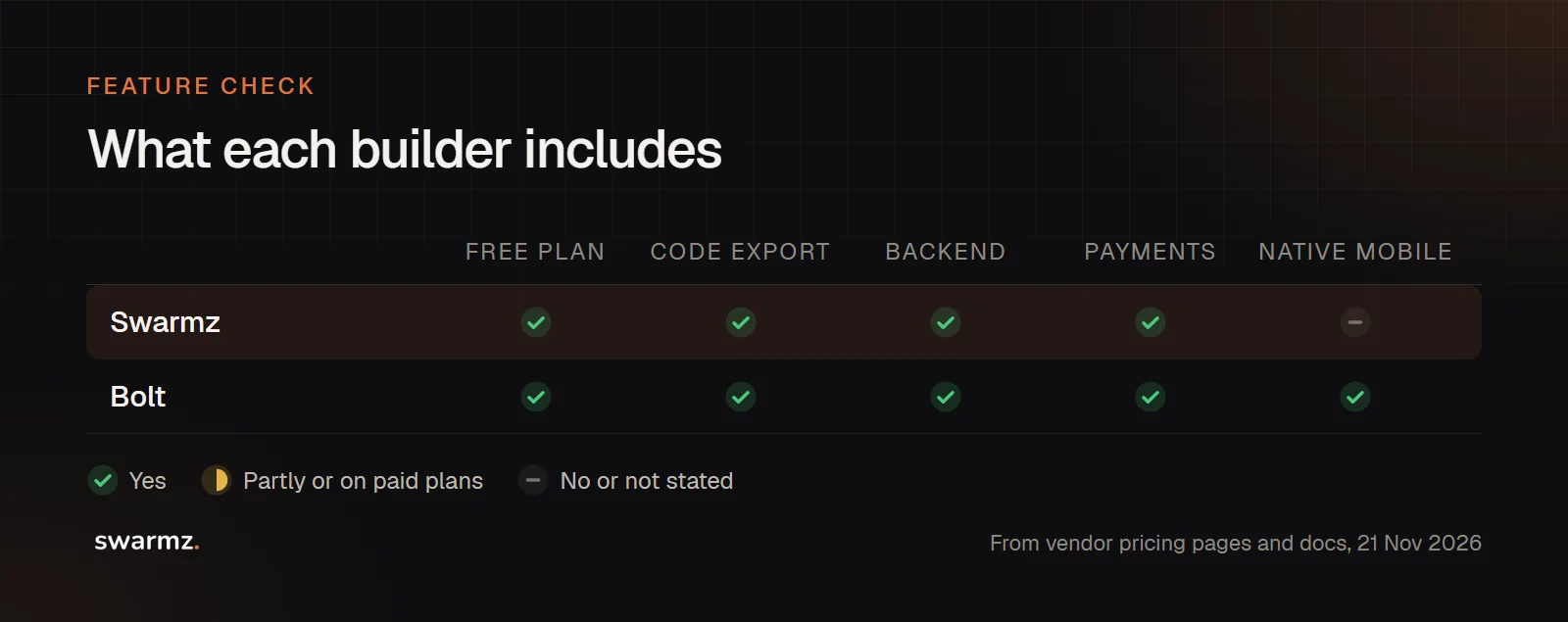
Tool | Free plan | Code export | Backend | Payments | Native mobile |
|---|---|---|---|---|---|
Swarmz | Yes | Yes | Yes | Yes | No |
Bolt | Yes | Yes | Yes | Yes | Yes |
Yes: included. Partly: only on some plans or with limits. No: not offered, or not stated by the vendor. Checked on 21 November 2026.
How to choose
Web app with sign-in, payments and a team, on one bill: Swarmz.
Native app store app: Bolt with Expo, or a mobile-first tool.
You want your code as a ZIP: Bolt.
You need SSO without an enterprise contract: Swarmz Business.
You want to sell with invoices or payment links: Swarmz.
Still deciding: write one short brief and build the same app on both free plans. Our guide on writing prompts for AI app builders helps, and if Lovable is also on your list, see Swarmz vs Lovable.
FAQ
Is Swarmz better than Bolt?
For web apps that need a backend, payments and a team, yes: Swarmz includes more sign-in methods, payments with invoices and payment links, team roles on the free plan and SAML SSO at $50 a month. Bolt is better if you need an Expo mobile app, a ZIP download or a JavaScript framework of your choice.
Is Bolt cheaper than Swarmz?
Pro costs $25 a month on both. Bolt measures usage in tokens and Swarmz in credits, so the real cost depends on what you build. For teams, Bolt Teams is $30 per member a month, while Swarmz has no per-seat fees.
Can Bolt build a mobile app?
Yes. Bolt builds mobile apps with Expo if you say "mobile app" in your first prompt, and you publish to the App Store or Google Play with Expo's tools and your own developer accounts. Swarmz builds web apps that work on phones, not native apps.
Can I download my code from Bolt or Swarmz?
Bolt lets you download a ZIP on desktop and also syncs with GitHub. Swarmz syncs your code both ways with GitHub on every plan, including Free, but has no ZIP download.
Does Bolt support Python backends?
No. Bolt's help center says it only supports JavaScript-based backends, so Python and PHP are not compatible.
Is Bolt or Swarmz better for teams?
Swarmz suits teams that want one shared credit balance, roles on the free plan and SAML SSO on the $50 Business plan. Bolt suits teams where each member wants their own tokens and is happy to pay $30 per member a month; SSO is on Bolt Enterprise.
Try Swarmz for free
If you want a web app with the backend, payments and team roles already in place, start building on Swarmz on the free plan. Describe the app in a sentence and see what each prompt costs as you go.
Sources
All checked on 21 November 2026.
Swarmz: swarmz.net/pricing, swarmz.net/faq, swarmz.net/features, swarmz.net/integrations
Bolt prices, tokens and plan features: bolt.new/pricing
Bolt supported languages and Expo: Bolt supported technologies, Bolt Expo guide
Bolt Cloud backend, sign-in and hosting limits: What is Bolt Cloud, Bolt Cloud announcement, August 2025
Bolt payments: Bolt Stripe integration
Bolt code export: Bolt GitHub integration, Bolt project download
Bolt security: bolt.new/platform/security
How did this land?
About the author

Founder of swarmz.net
Jordan founded Swarmz, the AI app builder at swarmz.net.


